Dynamic Shadows
Every light except the ambient, fill and sky lights can cast dynamic shadows: point, spot, directional, rect, disk and cylinder lights. Shadows are off by default; turn them on per light with CastShadows.
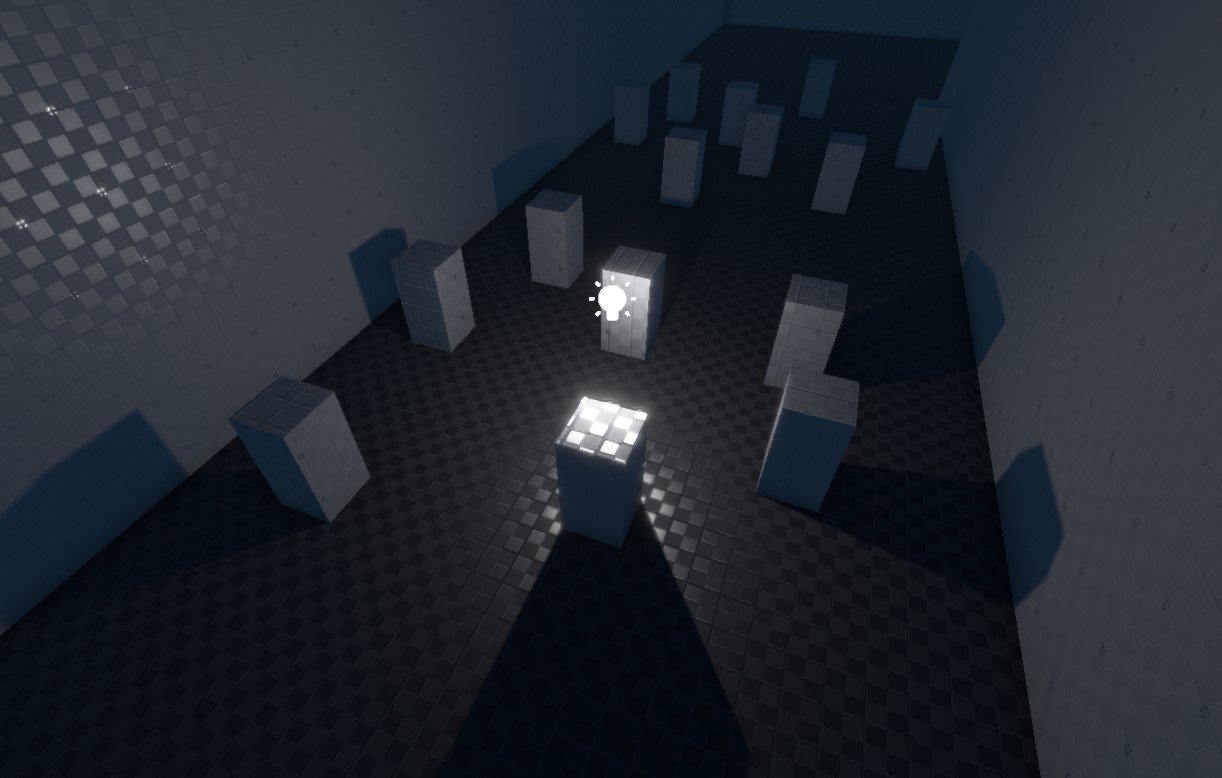
An object casts shadows if its game object has the tag CastShadow. New game objects have it; remove it from objects that do not need to cast shadows, such as small clutter or objects that are always in shadow anyway.
Shadow maps lack fine detail where objects touch. Contact shadows add it with a short screen-space trace, also for lights without CastShadows.
How shadows are rendered
| Light | Technique | Views per light |
|---|---|---|
| Directional | Virtual shadow maps (default) or cascaded shadow maps | Virtual: pages of a clipmap around the camera. Cascaded: 1 to 4 cascades. |
| Point | Cube shadow map in the shadow atlas | 6 |
| Spot | Shadow map in the shadow atlas, covering the outer cone | 1 |
| Rect, disk, cylinder | Shadow map in the shadow atlas, a cone of about 79° along the light's local −X axis | 1 |
All point, spot and area light shadows share one shadow atlas texture. Every frame the engine measures how large each shadowed light is on screen and gives it a matching share of the atlas: close lights get up to Rendering.Shadows.MaxShadowMapSize, distant ones down to Rendering.Shadows.MinShadowMapSize. Shadows of lights that become small on screen fade out and stop rendering; point and spot lights can keep them longer with ShadowFadeOutRange.
Point and spot light shadow maps are kept across frames and re-rendered only when the light or its casters change (Rendering.Shadows.StaticDepthCaching). Faces that see dynamic objects, or objects tagged VSMContinuousShadow, re-render every frame.
Directional light shadows
With Rendering.Shadows.UseVirtualShadowMaps on (the default), the sun uses virtual shadow maps (VSM): a clipmap of shadow pages around the camera, where each level doubles the covered area. Only the pages that visible pixels need are rendered, at roughly one shadow texel per screen pixel, and static pages are kept until something in them changes. This gives sharp shadows close to the camera and coverage far into the distance (about 1.3 km with the default 7 levels). The directional light's NumCascades, MinShadowRange, FadeOutStart, SplitModeWeight, NearPlaneOffset, SlopeBias and ConstantBias have no effect; the Rendering.Shadows.VSM… variables below take their place. The sun's penumbra comes from Rendering.ProbeDirectLighting.SunAngularRadius (the sun's angular radius, 0.5° by default) and Rendering.Shadows.VSMPenumbraMaxOccluderDistance.
Objects whose shape is animated by a shader but that are static, such as wind-blown vegetation, should get the tag VSMContinuousShadow: their shadow pages are then refreshed like those of dynamic objects.
With virtual shadow maps off, the sun uses cascaded shadow maps (CSM): the shadow range around the camera (MinShadowRange) is split into 1 to 4 cascades, each rendered every frame. See Directional Light Component for the cascade settings. Only one scene drives the virtual shadow maps at a time; when several scene documents render, the others use cascades.
Ray-traced direct lighting
Rendering.DirectLighting.Mode selects how direct light is shadowed: 0 is classic shadow-mapped lighting; 1 (probe cached), 2 (ReSTIR DI) and 3 (guided) trace shadow rays for local lights. In the ray-traced modes, local lights of a type that the mode already shadows request no shadow map for opaque surfaces, which saves the shadow-map rendering. A light with TransparentShadows keeps its shadow map for transparent surfaces. AlphaTestedShadows makes the shadow rays see through cut-out materials. The quality presets set the mode: classic for Low, Medium and High, ReSTIR DI for Max where supported.
Performance
Every shadowed light renders the shadow casters in its range again, once per view: a point light six times, a spot or area light once. This costs more the more complex the casting geometry is.
- Keep the number of shadowed lights low, and their ranges small.
- Prefer spot lights over point lights; a spot pointing away from a wall may not need a shadow at all.
- Remove the
CastShadowtag from small or unimportant objects, or give large complex objects simple proxy geometry for casting shadows (watch for self-shadowing artifacts if the proxy differs a lot). - Switch shadowed lights off when the player cannot see them, for example with a trigger.
- Point and spot lights that do not move, with static casters, are cheap after the first frame because their shadow maps are cached.
Rendering.Shadows.LocalLightsoff renders all point, spot and area lights unshadowed, as a quality-preset fallback.
Shadow quality
Rendering.Shadows.Quality sets the filtering of shadow edges: Low (0) uses PCF, Medium (1, the default) an 8-tap PCSS search that makes shadows softer further from their caster, High (2) a 16-tap PCSS. The quality presets set it together with the atlas and map sizes.
Penumbra
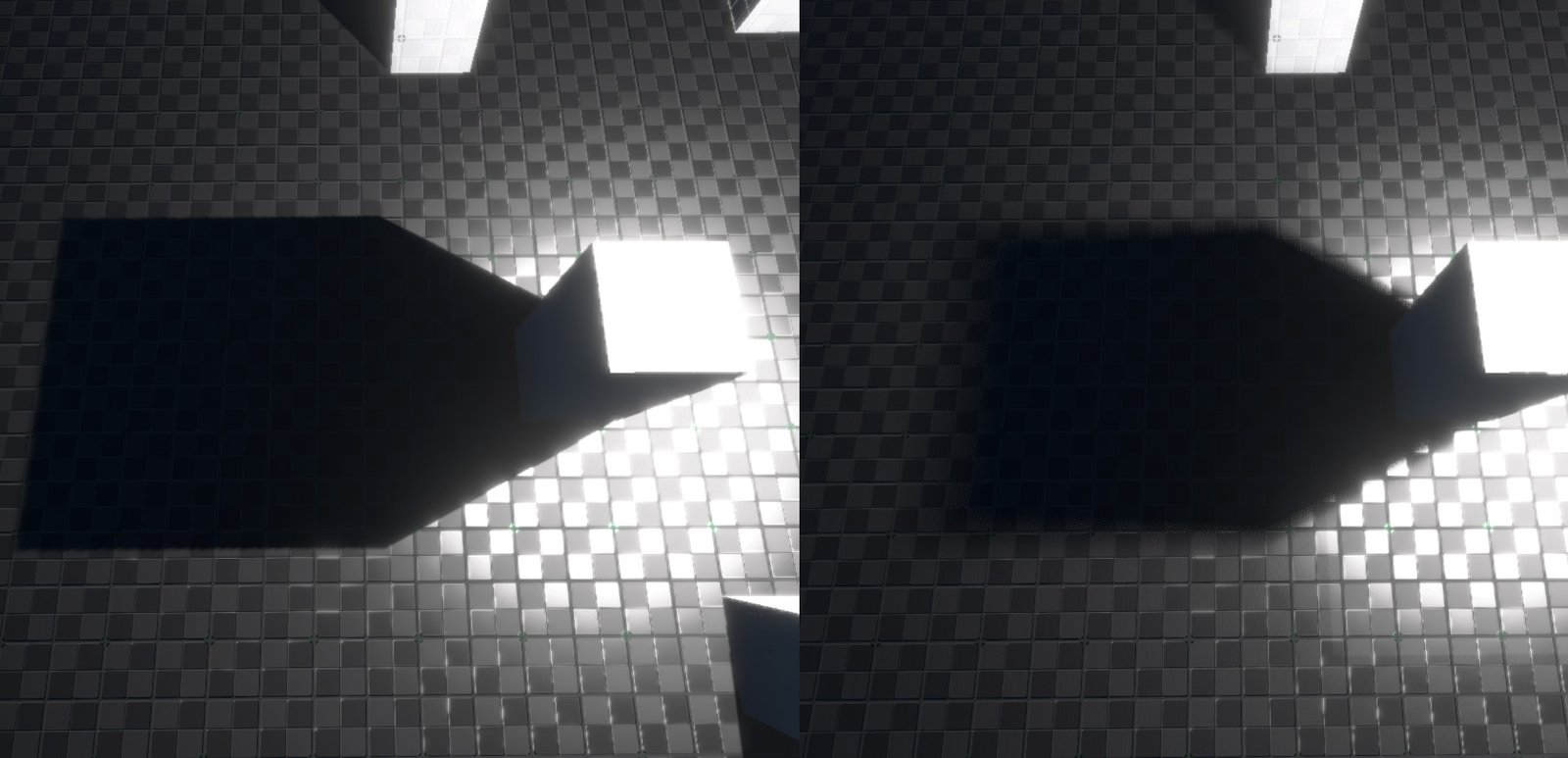
PenumbraSize is the size of the light source in metres (0 to 0.5). Larger values give softer shadow edges, and with PCSS the shadow gets softer the further it falls from its caster, as with a real light. It also softens contact shadows. The image below shows a penumbra size of 0 on the left and 0.5 on the right:
Shadow acne and bias
Shadow maps are prone to shadow acne: stripes or speckles of shadow on lit surfaces, caused by limited depth precision, worst where light grazes a surface. The opposite artifact, peter-panning, makes shadows detach from their casters and light leak under objects. Two properties trade one against the other:
SlopeBias(default 0.25) offsets the comparison more on surfaces that are steep to the light. Raise it against acne on slopes.ConstantBias(default 0.1) offsets every comparison by the same amount. Raise it against acne on flat surfaces; lower it if shadows detach.
There is no setting that is right everywhere; tune them where artifacts show. Virtual shadow maps use Rendering.Shadows.VSMDepthBiasMeters and Rendering.Shadows.VSMNormalBias instead.
Shadow Component Properties
These properties are in the Shadows group of every light that can cast shadows. They are described in full on Light Properties.
| Property | Default | Description |
|---|---|---|
CastShadows | Off | The light casts shadows. |
TransparentShadows | Off | Transparent objects cast dithered shadows; keeps the shadow map in ray-traced lighting modes. |
AlphaTestedShadows | Off | Ray-traced shadows see through cut-out (masked) materials. |
ContactShadows, ContactShadowLength | On, 0.3 m | Screen-space contact shadow. See Contact Shadows. |
PenumbraSize | 0.05 m | Size of the light source; softens shadow edges. |
SlopeBias, ConstantBias | 0.25, 0.1 | Shadow-map bias against acne. |
ShadowFadeOutRange | Auto | Point and spot lights: radius that decides when the shadow fades out with distance. |
The directional light adds NumCascades, MinShadowRange, FadeOutStart, SplitModeWeight and NearPlaneOffset for cascaded shadow maps.
Console variables
| CVar | Default | Description |
|---|---|---|
Rendering.Shadows.Quality | 1 | Filtering: 0 = Low (PCF), 1 = Medium (8-tap PCSS), 2 = High (16-tap PCSS). Saved. |
Rendering.Shadows.LocalLights | true | Point, spot and area lights cast shadows. Off renders them unshadowed. Saved. |
Rendering.Shadows.AtlasSize | 4096 | Size of the shadow atlas texture. |
Rendering.Shadows.MaxShadowMapSize | 1024 | Largest shadow map a light gets in the atlas. |
Rendering.Shadows.MinShadowMapSize | 64 | Smallest shadow map a light gets. |
Rendering.Shadows.ScaleMappingExponent | 1.5 | How fast a light's shadow-map size drops with its screen size. |
Rendering.Shadows.StaticDepthCaching | true | Keeps point and spot shadow maps across frames and re-renders a face only when its light or casters change. |
Rendering.Shadows.StaticCaching | true | Reuses the extraction of unchanged, all-static shadow views. |
Rendering.Shadows.MaxCascades | 4 | Upper limit for the cascade count of directional lights (1 to 4). Saved. |
Rendering.Shadows.UseVirtualShadowMaps | true | Virtual shadow maps for directional lights. Off uses cascaded shadow maps. Saved. |
Rendering.Shadows.VSMClipmapLevels | 7 | Number of clipmap levels (1 to 8). Each level doubles the coverage: 4 = 160 m, 6 = 640 m, 7 = 1280 m, 8 = 2560 m. |
Rendering.Shadows.VSMResolutionBias | 1 | Screen pixels one shadow texel should cover. 2 halves the shadow resolution and needs about a quarter of the pages; 0.5 doubles it. Saved. |
Rendering.Shadows.VSMDepthBiasMeters | 0.1 | Constant depth bias of virtual shadow maps, in metres. Too low gives acne, too high detaches shadows. Saved. |
Rendering.Shadows.VSMNormalBias | 0.05 | Normal offset bias of virtual shadow maps. Saved. |
Rendering.Shadows.VSMPenumbraMaxOccluderDistance | 30 | Highest occluder above a receiver, in metres, that the soft-shadow search looks for. 0 gives a fixed one-texel filter. Saved. |
Rendering.Shadows.VSMMaxDirtyPagesPerFrame | 128 | Shadow pages rendered per frame at most. Lower spreads the work, higher fills in faster. |
Rendering.Shadows.VSMMaxDynamicPagesPerFrame | 256 | Pages refreshed for moving objects per frame at most. |
Rendering.Shadows.VSMFallbackPageRadius | 6 | Pages kept resident around the camera on the coarse levels, so a quick camera turn shows a coarse shadow at once. 0 = off. |
Rendering.Shadows.ShowAtlasTexture | false | Debug: shows the shadow atlas. |
Rendering.Shadows.VisCascadeBounds | false | Debug: shows the bounding volumes of the shadow cascades. |
The quality presets change Quality, LocalLights, MaxCascades, AtlasSize, MaxShadowMapSize and VSMResolutionBias per tier. The editor's Quality Settings panel shows the shadow settings under Shadows.
Troubleshooting
| Problem | Cause and fix |
|---|---|
| A light casts no shadow. | CastShadows is off, the casters lack the CastShadow tag, Rendering.Shadows.LocalLights is off, or the light is too small on screen (raise ShadowFadeOutRange). |
| Stripes or speckles of shadow on lit surfaces. | Shadow acne. Raise SlopeBias or ConstantBias; for the sun with virtual shadow maps, Rendering.Shadows.VSMDepthBiasMeters. |
| Shadows float away from their casters. | Too much bias. Lower ConstantBias (or VSMDepthBiasMeters). |
| Sun shadows appear late after a fast camera turn. | Virtual shadow pages are still being rendered. Raise VSMMaxDirtyPagesPerFrame or VSMFallbackPageRadius. |
| Sun shadows are blurry. | Lower Rendering.Shadows.VSMResolutionBias, or with cascaded shadow maps raise NumCascades or lower MinShadowRange. |
| Waving foliage has a static shadow. | Static objects animated in the shader need the VSMContinuousShadow tag. |
| Glass or particles cast no shadow in a ray-traced lighting mode. | Turn on TransparentShadows on the light. |
| Shadows of an area light are missing on one side. | Area light shadow maps only cover a cone along local −X. See Area Lights. |