Visibility and Occlusion Culling
Culling skips objects that cannot contribute to the image, so the GPU never draws them. Plasma culls in stages:
- Frustum culling on the CPU. The spatial system finds the objects inside the camera's view frustum. Anything outside it is never handed to the renderer.
- GPU culling. A compute pass tests every remaining instance against the frustum again and against a depth pyramid (Hi-Z) of the scene, and writes the survivors into indirect draw lists. This is where occlusion culling happens.
- Meshlet culling and LOD. Meshes with virtual geometry are split into small clusters of triangles (meshlets) organised in a level-of-detail hierarchy. The GPU picks the coarsest clusters whose error is too small to see and culls clusters on their own, so a large mesh that is only partly visible only draws the visible parts.
- Triangle culling. When the device supports mesh shaders, back-facing and zero-coverage triangles are dropped in the shader.
GPU culling is on by default and needs no setup: every opaque object is both tested and acts as an occluder. Transparent geometry is frustum-culled only.
Occlusion culling
Occlusion culling skips objects that are hidden behind other geometry. It uses the depth that the scene has already rendered, so all opaque geometry occludes automatically. You do not need to place occluders.
It works in two phases each frame:
- Instances are tested against the depth pyramid from the previous frame and the visible ones are drawn.
- The depth pyramid is rebuilt from this frame's depth prepass, and instances are culled again against it before the main opaque pass. Objects that just came into view are drawn in the same frame.
When the camera moves more than Rendering.Culling.GPU.CameraCutDistance (2 m) in one frame, occlusion culling is skipped for that frame, so a teleport or camera cut never culls against stale depth.
Occlusion culling runs for the main game view and editor viewports. Shadow and reflection views get frustum, meshlet and LOD culling, but no occlusion culling. A render pipeline must contain a depth-writing pass (plGBufferPass or plOpaqueForwardRenderPass) for the depth pyramid to exist; otherwise occlusion culling is skipped and the stats report NoDepthSource as the reason.
Occlusion also feeds mesh streaming: with Rendering.Meshes.Streaming.Occlusion on (the default), occluded instances stay at their coarse proxy mesh, so their full detail is never streamed in.
Virtual geometry and mesh LOD
Mesh assets have two properties that decide how meshlet culling and LOD apply:
| Property | Default | Description |
|---|---|---|
| Virtual Geometry | On | Builds the meshlet LOD hierarchy and a coarse proxy mesh (about 1/16 of the triangles) used while the mesh streams. Off: the mesh renders as a whole, without cluster culling or LOD. |
| Virtual Geometry Reduction | 50 | Percentage of triangles kept at each level of the hierarchy, 30 to 90. Higher values give smaller steps between levels but more levels and more memory. |
The level of detail is chosen by screen-space error. Rendering.Culling.GPU.Meshlets.LODErrorScreenPercent is the largest error allowed, as a percentage of the screen; the quality presets set it to 0.3 (Low), 0.15 (Medium) and 0.075 (High and Max). Shadows use the coarser Rendering.Culling.GPU.Meshlets.ShadowLODErrorPixels (4, 2, 1 pixels). Set LODErrorScreenPercent to 0 to use a fixed pixel error (LODErrorPixels) and the adaptive controller, which raises the error when the frame rate drops below Meshlets.LOD.TargetFPS.
In the editor, the Quality Settings panel lists these under Geometry: Mesh LOD error (% of screen), Shadow LOD error (px), Adaptive mesh LOD, Adaptive LOD target frame rate and GPU occlusion culling.
Visualizing culling
Render modes
The viewport's Render Mode menu has views for checking culling and LOD:
| Render mode | Shows |
|---|---|
| Geometry › Topology › Triangle Colors | Every triangle in its own colour, to see triangle density. |
| Geometry › Topology › Meshlet Clusters | Every meshlet cluster in its own colour. |
| Geometry › Topology › Meshlet Lod Proximity | How close each cluster is to switching LOD level. |
| Geometry › Topology › Instance Colors | Every mesh instance in its own colour. |
| Performance › Overdraw | How many times each pixel is drawn. This view disables depth and occlusion tests, so it shows the cost without occlusion culling; frustum, LOD and meshlet culling stay active. |
Debug drawing and stats
| CVar | Default | Description |
|---|---|---|
Rendering.Culling.GPU.DebugDraw | off | Draws boxes around culled instances: red for frustum-culled, orange for occlusion-culled. |
Rendering.Culling.GPU.DebugDraw.Meshlets | off | Also draws a sphere per meshlet, green when visible. |
Rendering.Culling.GPU.Stats | off | Publishes culling stats under Renderer/GpuCulling/. See below. |
Spatial.Culling.ShowStats | off | On-screen text with the CPU frustum stage: total objects, objects tested, objects passed and the time taken. Development builds only. |
Spatial.Culling.Vis | off | Draws the culling frustum. Development builds only. |
With Rendering.Culling.GPU.Stats on, read the stats in the Inspector, the editor's stats or the debugging stats:
| Stat | Meaning |
|---|---|
Tested, FrustumCulled, OcclusionCulled, Visible | Instance counts per frame. |
OcclusionActiveP1, OcclusionActiveP2 | Whether occlusion ran in the first and second phase. |
HiZBuildSkipReason | Why the depth pyramid was not built, for example NoDepthSource. |
MeshletSelected, MeshletTrianglesDrawn, MeshletTriangleRatio | How many clusters and triangles were drawn, and the ratio to the full-detail mesh. |
MeshletLOD0 … MeshletLOD3Plus | How many clusters were drawn at each LOD level. |
MeshletCandidateOverflow, MeshletDrawOverflow | Non-zero means the meshlet budget (Rendering.Culling.GPU.Meshlets.Budget) was exceeded. |
Freezing culling
To see what a viewpoint culls from the outside, turn on Spatial.Culling.Vis and add a camera component whose usage hint is Culling. Culling is then done from that camera and its depth pyramid is frozen, so you can fly around with the editor camera and see what the frozen viewpoint skips.
Checking that occlusion works
- Place several meshes behind a large wall and keep the camera still.
- Turn on
Rendering.Culling.GPU.Statsand check thatOcclusionCulledis above zero,OcclusionActiveP1/P2are set, andHiZBuildSkipReasonis empty. - Turn off
Rendering.Culling.GPU.Occlusionand compare the draw count and frame time. - Use a normal shaded view, not Overdraw, which disables occlusion.
Platforms and fallbacks
GPU culling needs indirect draws with a first-instance argument, which all desktop devices support. Mesh shaders are optional: by default the meshlet path emits ordinary indexed indirect draws, and the native mesh-shader path is only used with Rendering.Culling.GPU.Meshlets.Native and a device that supports it.
Android turns GPU culling and mesh shaders off, so Android builds use frustum culling only.
CPU occlusion culling (legacy)
Before GPU culling, Plasma rasterized occluder geometry on the CPU into a small depth buffer and tested objects against it. This path still exists, but it is skipped whenever GPU culling runs for a view, and by default also in pipelines with global illumination (Spatial.Occlusion.DisableForGI). It only works in x86 builds compiled with MSVC on CPUs with AVX and FMA3. In practice it only matters when Rendering.Culling.GPU is off.
Only this path uses occluders: greybox geometry with Use As Occluder enabled (the default) and occluder components. Keep occluders few and large, closer than Spatial.Occlusion.FarPlane (50 m), and inside large objects; small or thin occluders cause artifacts because the occlusion buffer has a low resolution.
Visualizing occluder geometry
Spatial.Occlusion.VisView overlays the CPU occlusion buffer of the main view:
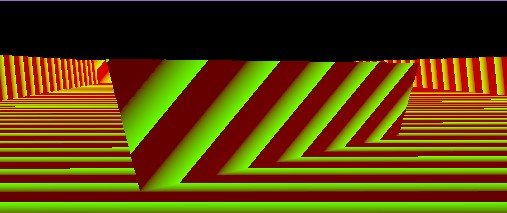
| CVar | Default | Description |
|---|---|---|
Spatial.Occlusion.Enable | on | Enables the CPU occlusion path where it can run. |
Spatial.Occlusion.DisableForGI | on | Skips it in pipelines with a GI pass. |
Spatial.Occlusion.VisView | off | Shows the occlusion buffer. |
Spatial.Occlusion.FarPlane | 50 | Occluders further away are ignored. |
Spatial.Occlusion.BoundsInflation | 0.5 | Grows tested bounds to avoid false culling. |
Spatial.Occlusion.MaxResolution | 512 | Size of the occlusion buffer. |
Spatial.Occlusion.MaxOccluders | 64 | Most occluders rasterized per view. |
GPU culling CVars
| CVar | Default | Description |
|---|---|---|
Rendering.Culling.GPU | on | GPU instance culling. Off falls back to the CPU path. |
Rendering.Culling.GPU.Occlusion | on | Hi-Z occlusion culling. |
Rendering.Culling.GPU.TwoPhase | on | Rebuilds the depth pyramid from the depth prepass and culls again before the main opaque pass. Off tests only against last frame's pyramid. |
Rendering.Culling.GPU.ShadowViews, .ReflectionViews | on | GPU culling for shadow and reflection views (without occlusion). |
Rendering.Culling.GPU.BoundsInflation | 0.5 | World-space padding added to the tested bounds, to cover vertex animation such as wind sway. |
Rendering.Culling.GPU.CameraCutDistance | 2.0 | Camera movement per frame (metres) beyond which occlusion culling is skipped for one frame, so a teleport or camera cut does not cull with stale depth. |
Rendering.Culling.GPU.Meshlets | on | Meshlet culling and LOD for meshes with virtual geometry. |
Rendering.Culling.GPU.Meshlets.LOD | on | Meshlet LOD selection. |
Rendering.Culling.GPU.Meshlets.LODErrorScreenPercent | 0.1 | Largest LOD error as a percentage of the screen; set by quality presets. 0 uses LODErrorPixels and the adaptive controller. |
Rendering.Culling.GPU.Meshlets.LODErrorPixels | 1.0 | Fixed LOD error in pixels when the screen percentage is 0. |
Rendering.Culling.GPU.Meshlets.ShadowLODErrorPixels | 2.0 | LOD error for shadow views; set by quality presets. |
Rendering.Culling.GPU.Meshlets.LOD.Adaptive | on | Adapts the pixel error to LOD.TargetFPS (140). Only active when the screen percentage is 0. |
Rendering.Culling.GPU.Meshlets.Budget | 1048576 | Most meshlet candidates one view reserves. A view that needs more picks a coarser LOD until it fits; 0 is unbounded. |
Rendering.Culling.GPU.Meshlets.Native | off | Draws meshlets with native mesh shaders where supported. |
Rendering.MeshShaders.PrimitiveCull | on | Per-triangle culling in mesh shaders. |
Rendering.SceneRegistry | off | Keeps static mesh instances in a GPU-resident registry, culled and drawn on the GPU instead of being found, extracted and sorted every frame. |