Disk Light Component
The disk light component (plDiskLightComponent) adds a light that emits from a flat circle, such as a round ceiling light, a recessed downlight or a round softbox. Its specular highlights are round and as large as the disk, and objects close to it are lit softly from the whole surface. It is more expensive than a point or spot light; see Area Lights for when it is worth it.
The disk is centred on its game object and emits along the object's local −X axis. Rotate the object so that −X points at what should be lit, for example straight down for a ceiling fixture. With TwoSided it emits from both faces.
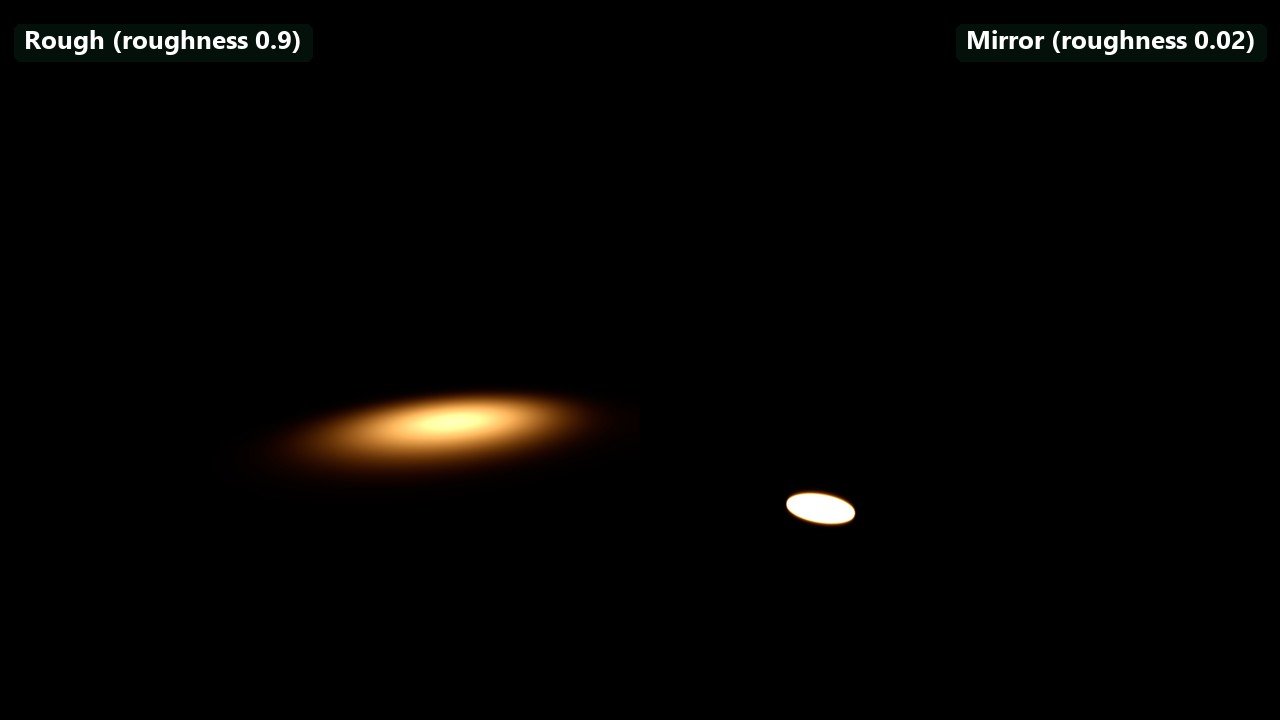
Left: a rough floor (roughness 0.9) shows how the light spreads. Right: a mirror floor (roughness 0.02) shows the light's own shape in its reflection. Two identical lights at default intensity, one over each half, same exposure.
Component Properties
The Color, Shading and Shadows groups are shared with the other lights; see Light Properties.
| Property | Default | Description |
|---|---|---|
Temperature | 3000 K | Light colour as a colour temperature, when UseColorTemperature is on. |
IntensityUnit | Lumen | Lumen: total output, kept when the disk is resized. Nits: brightness of the emitting surface. |
Intensity | 1000 | Brightness in the selected unit. |
Radius | 0.5 m | Radius of the disk, at least 0.01 m. |
Range | Auto | Distance at which the light ends. Auto computes it from the brightness. See Range and falloff. |
Falloff | 1 | Exponent of the distance falloff. 1 is physical. |
TwoSided | Off | Emits from both faces. The emitting area, and the lumens for a given luminance, double. |
In lumens, the surface luminance is lm / (π · πr²), so the default 1000 lm disk of 0.5 m radius has a surface of about 405 nits. The light header shows the lumens and nits of the selected light, its automatic range, and warns about implausible values. Fixture preset applies a real fixture's output, colour temperature and radius; the engine ships no disk presets, but a project can add its own.
Shadows
With CastShadows on, the disk renders one shadow map that covers a cone of about 79° in front of it. The back face of a two-sided disk casts no shadow-map shadows. Set PenumbraSize to roughly the disk's radius for soft shadow edges. See Area Lights.
Troubleshooting
| Problem | Cause and fix |
|---|---|
| The disk lights the ceiling instead of the floor. | It emits along local −X. Rotate the object so −X points down, or turn on TwoSided. |
| The disk gets dimmer when its radius grows. | It is in lumens, which keep the total output. Switch IntensityUnit to Nits to keep the surface brightness. |
| The highlight looks like a point light's. | The disk is small compared to its distance from the surface. Increase Radius, or use a cheaper point or spot light. |